
Solution steps:
Enter InsightAPM, find the asset group

Locate the node you want to modify, and double-click the left mouse button twice.
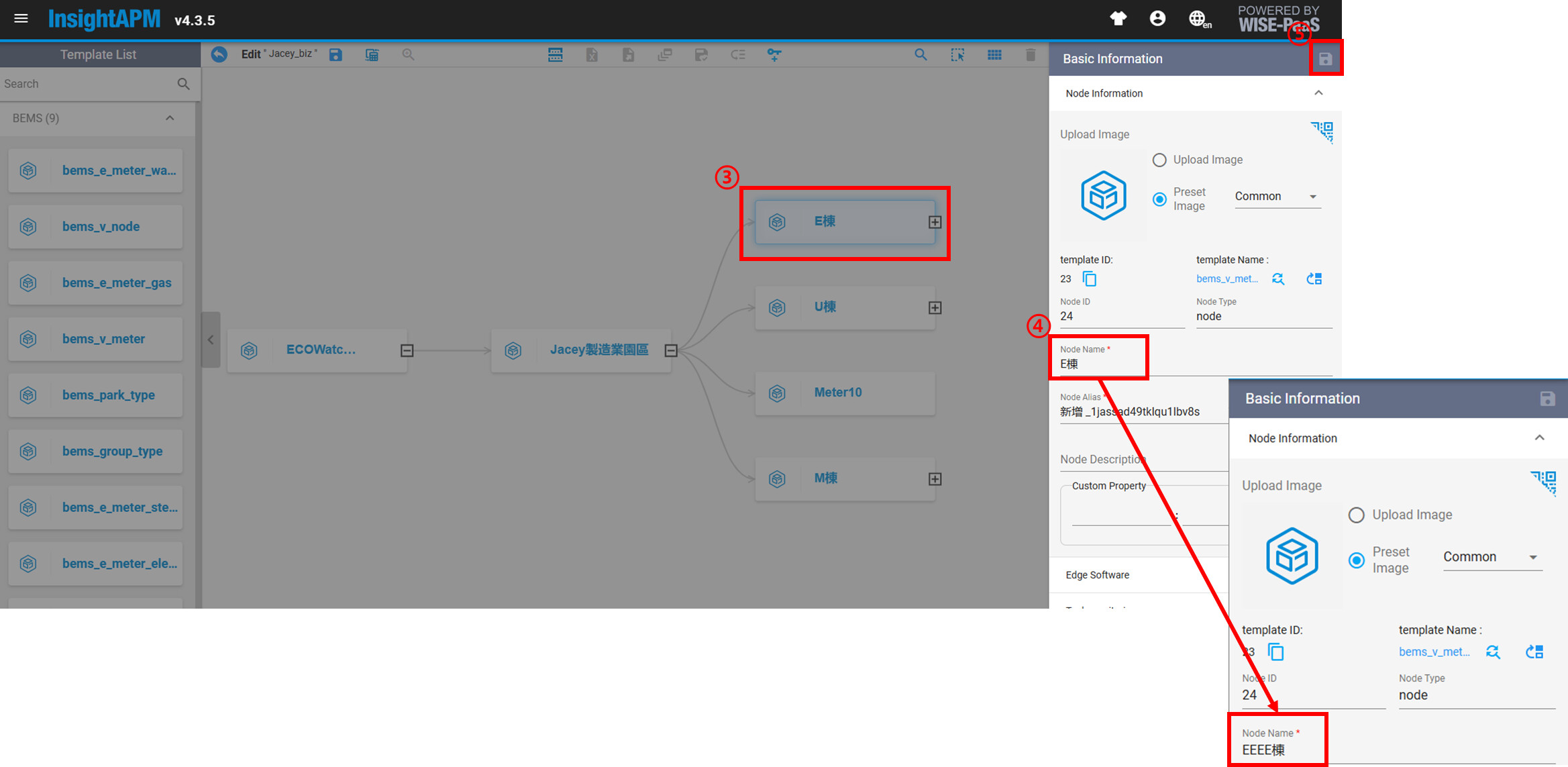
Remember to click save after making the changes.
Return to the ECOWatch front end to view the results; remember to refresh the webpage.
