This SOP aim to delete energy consumption in ECOWatch by deleting original data and re-calculate energy usage in InsightAPM. We are going to deete 19/Aug/2025 data for example.

- Before deleting data, please make sure your account is Super Admin.
- Please go to InsightAPM and find the tag which bind to energy usage. Click data repair

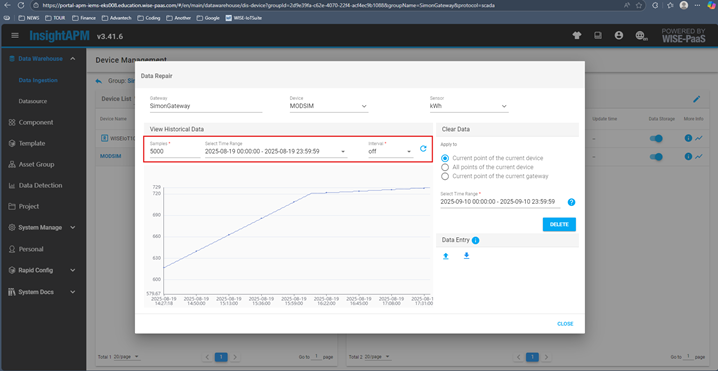
- Search data in 19/Aug/2025
- Select “Current point of the current device” and correct time range then click “DELETE”
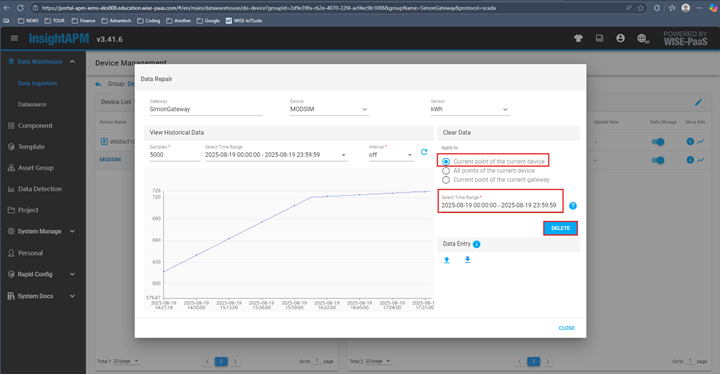
- Type tag name to ensure the tag you are going to delete data

- Please go to System Monitoring –> click ! symbol in the right hand side of Usage Analysis

- Select correct Meter Asset → Query → Calculate

- Select correct time range then save

- System is rollbacking. You need to keep on pressing Query until status becomes finish


Result:
