1. Before deleting data, please make sure your account is Super Admin.
2. Please go to InsightAPM and find the tag which bind to energy usage. Click data repair

3. Search data in 19/Aug/2025 and make sure this tag doesn’t have any value.

4. Click “down” arrow to download excel template

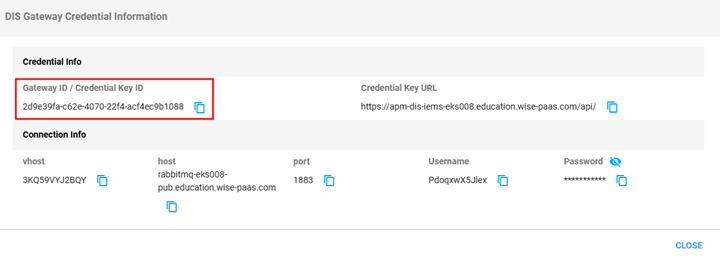
5. You need Gateway ID / Device ID / Tag name / Value / Timestamp
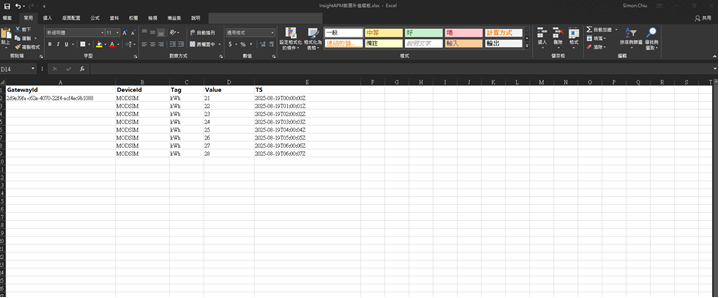
Gateway ID
Device ID / Tag name / Value / Timestamp

Timestamp format should be one of these kind:
“2025-08-19T19:00:00Z”
“2025-08-19T20:00:00.000Z”
“2025-08-19T05:00:00+08:00”
“2025-08-19T06:00:00.000+08:00”
After modifing excel, save excel.
6. Upload excel by clicking “Upload” button
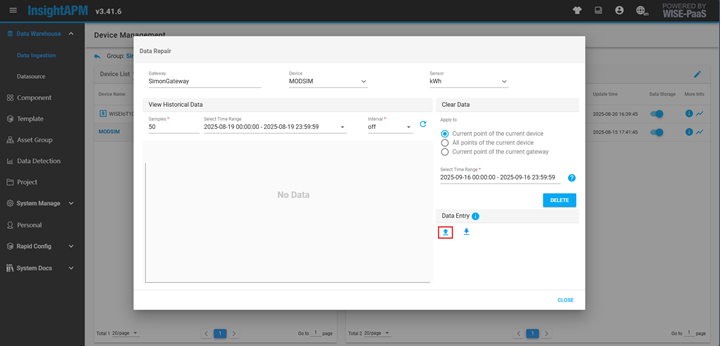
Click upload

Result:
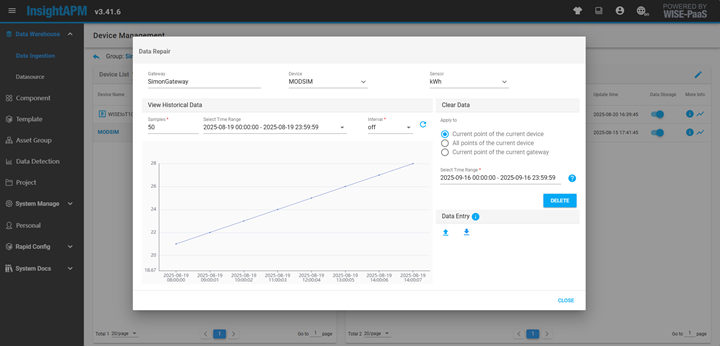
7. Go to System Monitoring à Usage Analysis

8. Query Meter Asset à Back Calculation

Select the same time range then save

Press Query until finish

ECOWatch result:
